
01
Architecture
System type, primary languages and frameworks, data stores, external integrations and the deployment model: the shape of your system as the engine understands it.
The codex is what the agents know about your codebase. The knowledge indexer builds it when you onboard a repository: structured sections in PostgreSQL, a vector index in Qdrant, and a code knowledge graph of modules and how they depend on each other. If the codex is accurate, the agents have something real to work from. If it's wrong, no choice of model will make up for it, which is why onboarding lets you review what was extracted.
System type, primary languages and frameworks, data stores, external integrations and the deployment model: the shape of your system as the engine understands it.
For each module or package: its purpose, public interface, dependencies and dependents. This is what lets an agent ask "what depends on this?" and get an answer from the index instead of a guess.
Named patterns used in your codebase, with reference implementations (real file paths) and the rules that go with them. Agents copy from your examples, not from memory.
Things agents must not do in this codebase, and why.
How tests are structured, what gets mocked, how the suite runs. Onboarding also detects the test command, which feeds the repository's verification policy.
Naming, file organisation, error messages, logging and configuration conventions: what the linter does not catch.
Branch naming, commit format, PR conventions and the release process: how work is shipped in this repository.
Business entities, vocabulary and the rules enforced in code. The context engineering decisions depend on.
Extraction results are stored as snapshots tied to a repository commit on the branches you choose to watch (Admin → Watched Branches). Extractors cover topology, API style, coding style, component libraries and patterns, CSS methodology, design tokens, frameworks, contracts between repositories, git strategy and testing conventions.
Changes made outside the pipeline, such as a direct commit or an emergency fix, reach the change reconciler through webhooks. It classifies each change and folds it back into the codex, and in-flight work picks the change up through the re-plan described below instead of being blocked. You can also trigger a re-index from the dashboard (Admin → Reindex).
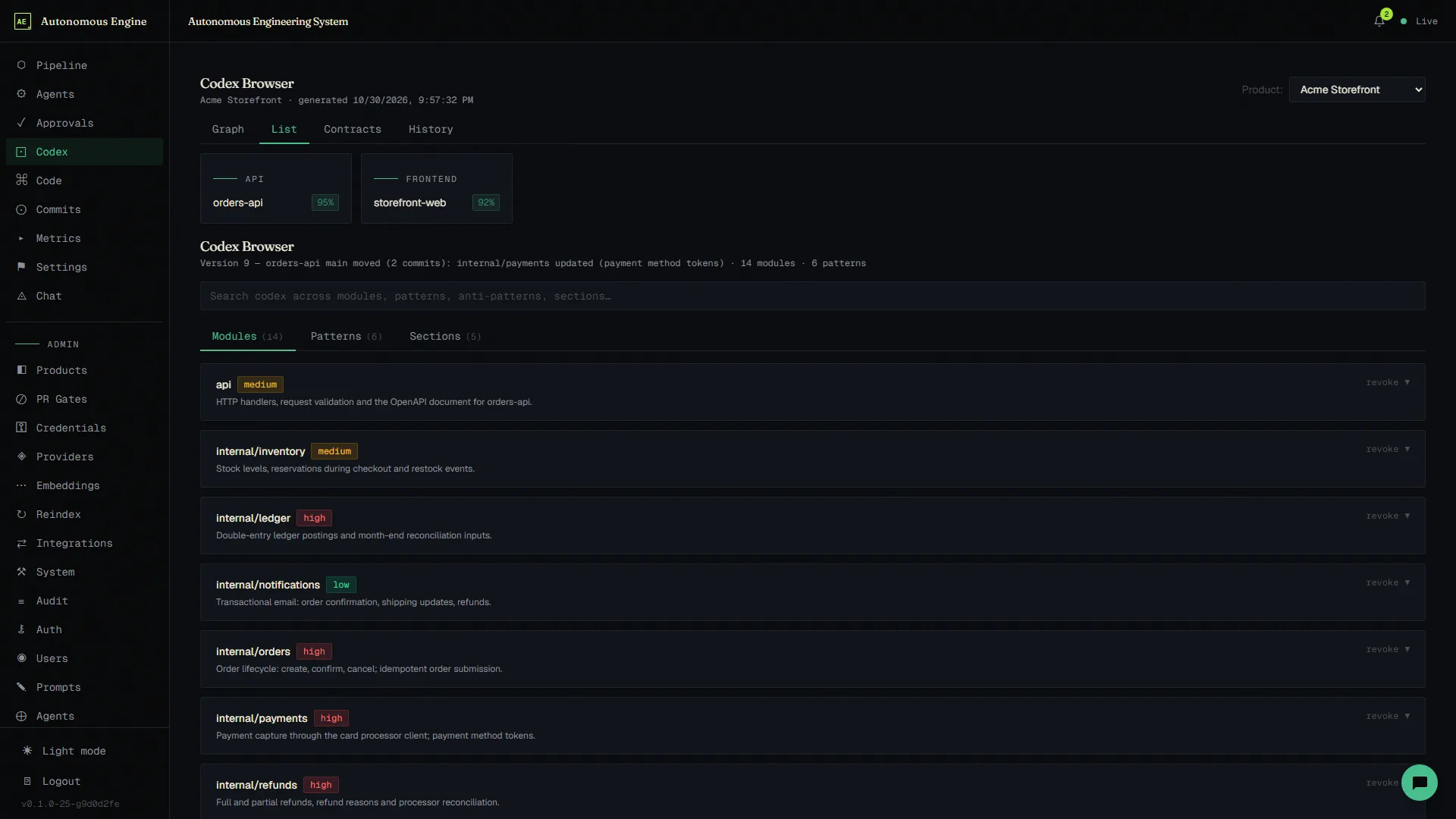
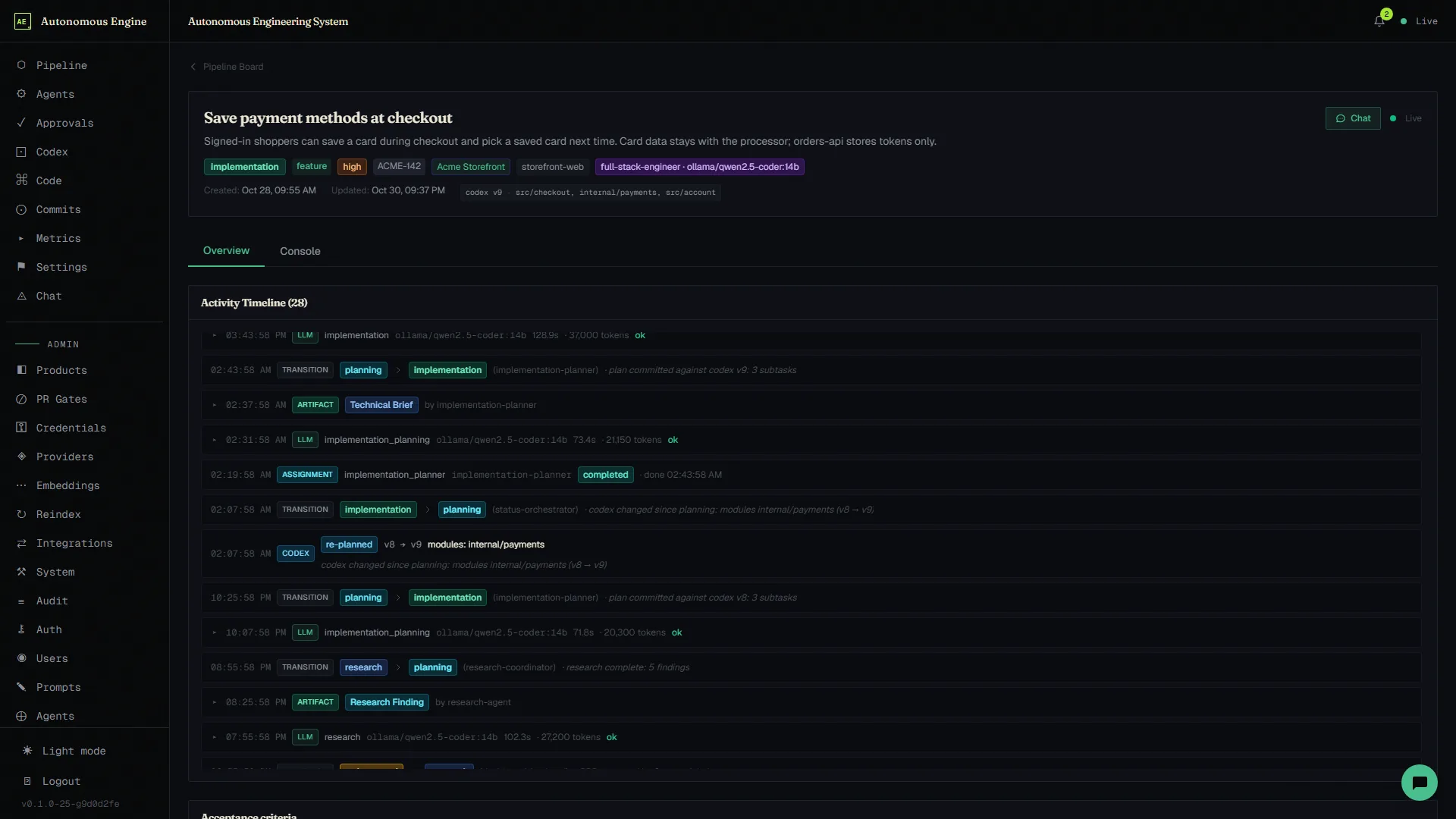
Every change to the codex is a numbered version per product and branch, recording what changed: a module, a section, the patterns or the zones. Each work item is pinned to the version and modules it was planned against, and the pipeline board shows that pin on every card.
When a new version changes something an in-flight item depends on, the engine plans that item again from its existing brief against the current codex. The re-plan follows a few fixed rules:
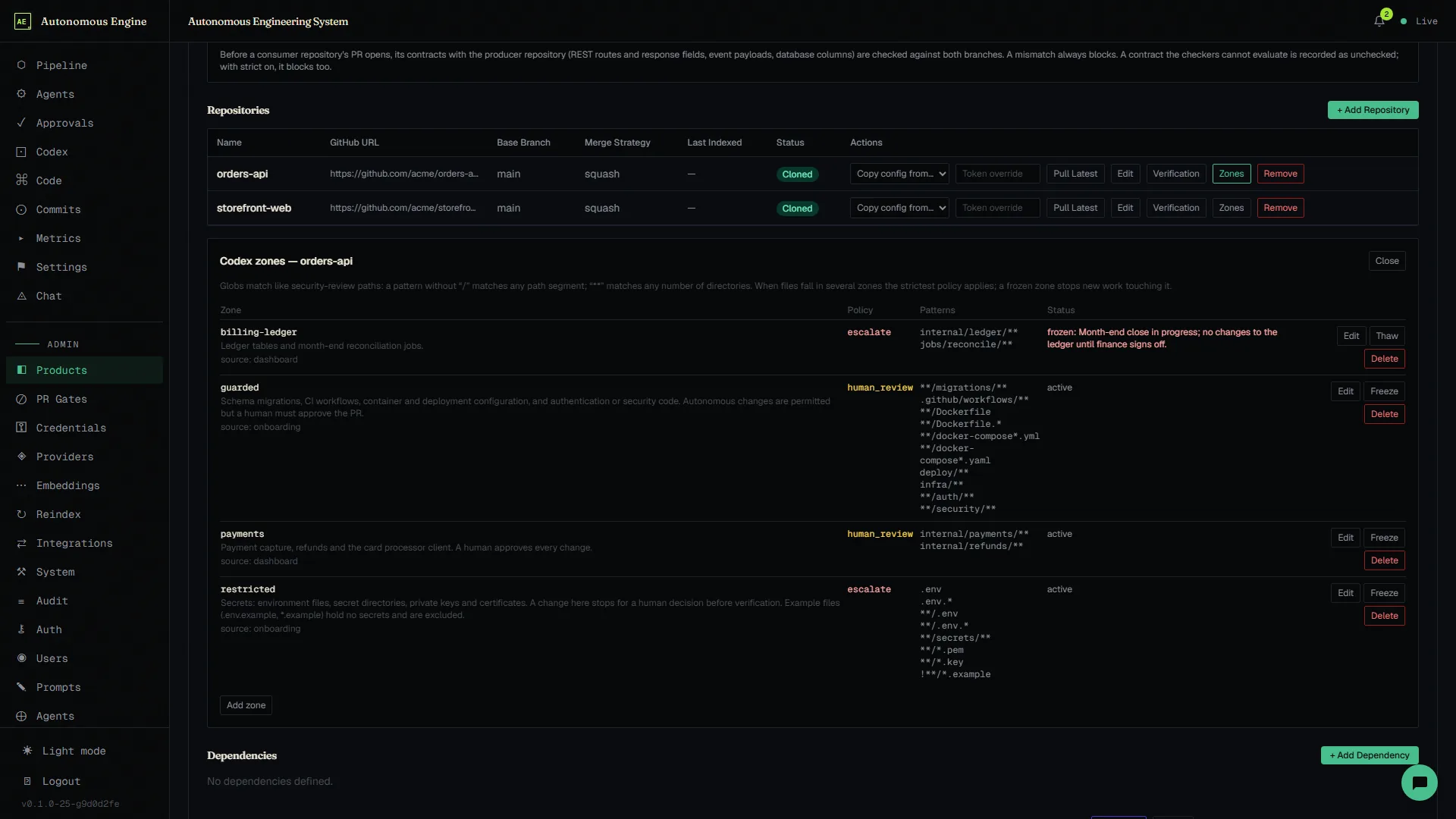
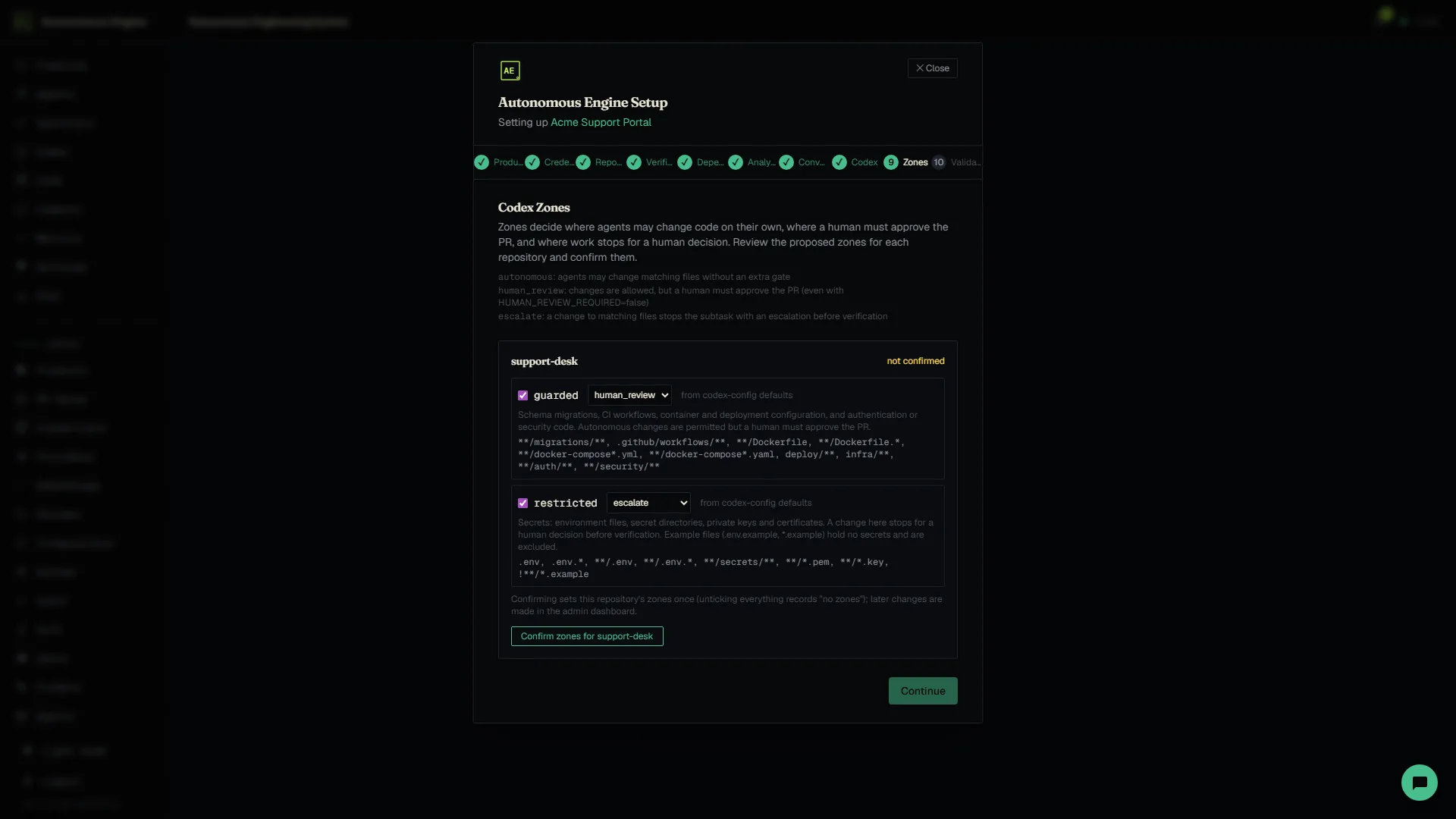
Zones are set per repository: a policy and a list of glob patterns, with ! exclusions. Two generic zones come by default. guarded (human review) covers migrations, CI workflows, Dockerfiles and compose files, deploy/, infra/, and auth and security code. restricted (escalate) covers .env files, secret directories, private keys and certificates, but not example files. Onboarding proposes zones for you to confirm, and Admin → Products → Repository → Zones edits, freezes and thaws them. Every zone change is a codex version, so affected work is re-planned.
Agents may change matching files with no extra gate. Files outside every zone are autonomous too.
The change may be made, but a person approves it: the evidence is flagged for zone review, whatever HUMAN_REVIEW_REQUIRED says.
A change to matching files stops the subtask with an escalation before verification.
Any zone can be frozen with a reason. The planner will not plan into it and the item escalates; thaw it to let work through again.
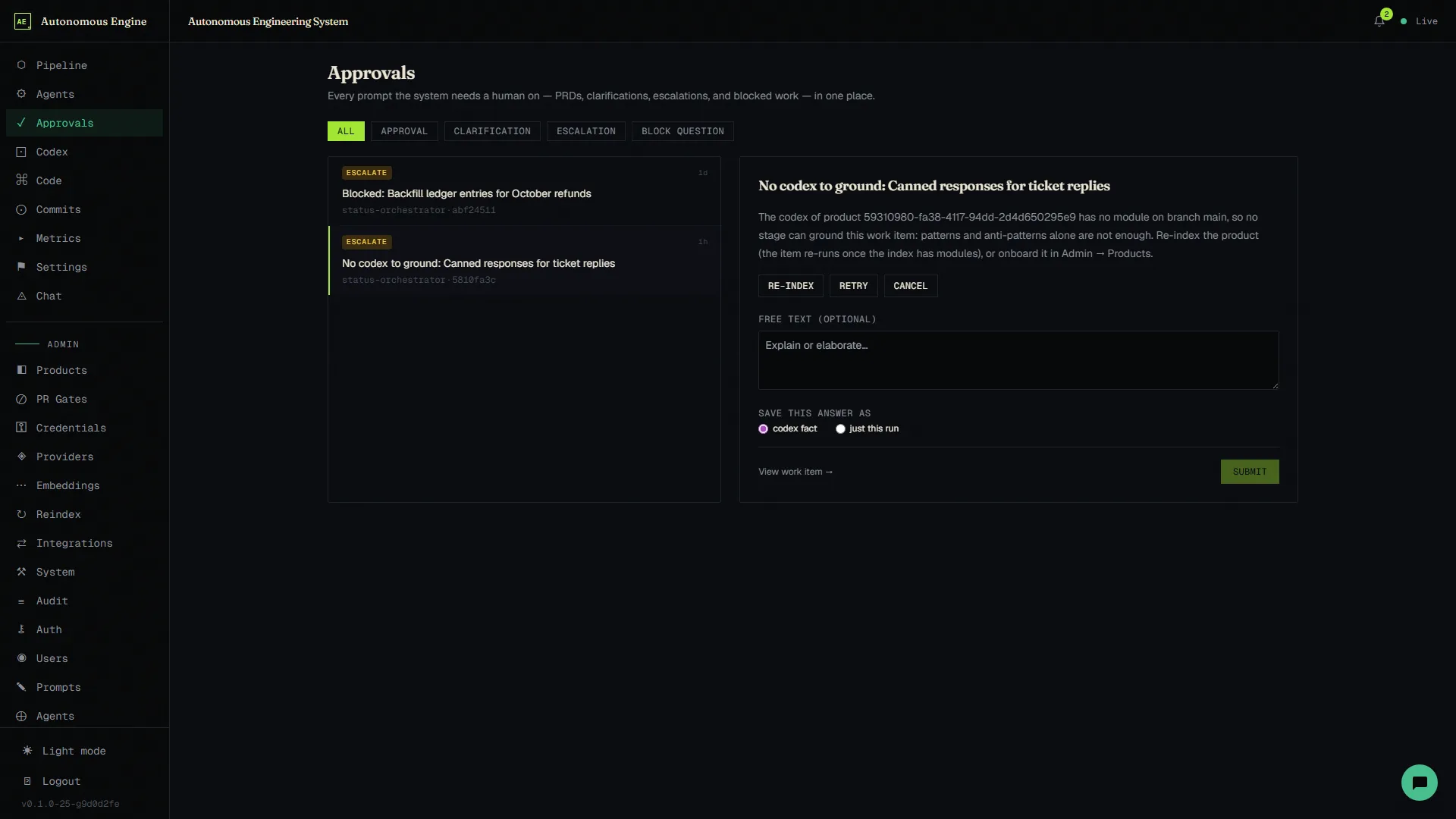
The product, research and planning stages refuse an item when its product has no codex module on the item's branch (or on the default branch). Patterns alone are not enough. The item is blocked with three answers: Re-index the product, Retry now, or Cancel. After a re-index that grounds the codex, the item re-runs where it stopped.
Lookups that come back empty during a run are counted too; past a threshold (five by default) the evidence is marked ungrounded and is never released or approved automatically.
Research, planning and implementation agents reach the codex through tools. Each call returns what the current task needs, and every call is logged with the work item.
codex_find_module, codex_modules, codex_dependencies_of, codex_dependents_of: what a module is and what would be affected by changing it.
codex_patterns, codex_patterns_for, codex_anti_patterns, codex_sections: the conventions that apply to the area being changed.
codex_similar_code (vector search), codex_grep, codex_read_file, codex_list_tree: read the code itself, scoped to the product's repositories.
codex_goto_definition, codex_find_references, codex_type_info, codex_document_symbols, codex_workspace_symbols, codex_diagnostics: precise answers from a language server, not from the model.
The onboarding wizard walks through product, credentials, repositories, verification policy, dependencies between repositories, analysis, a short conversation about what the analysis could not settle, the codex itself, its zones, and validation. You see what the indexer found before agents rely on it.
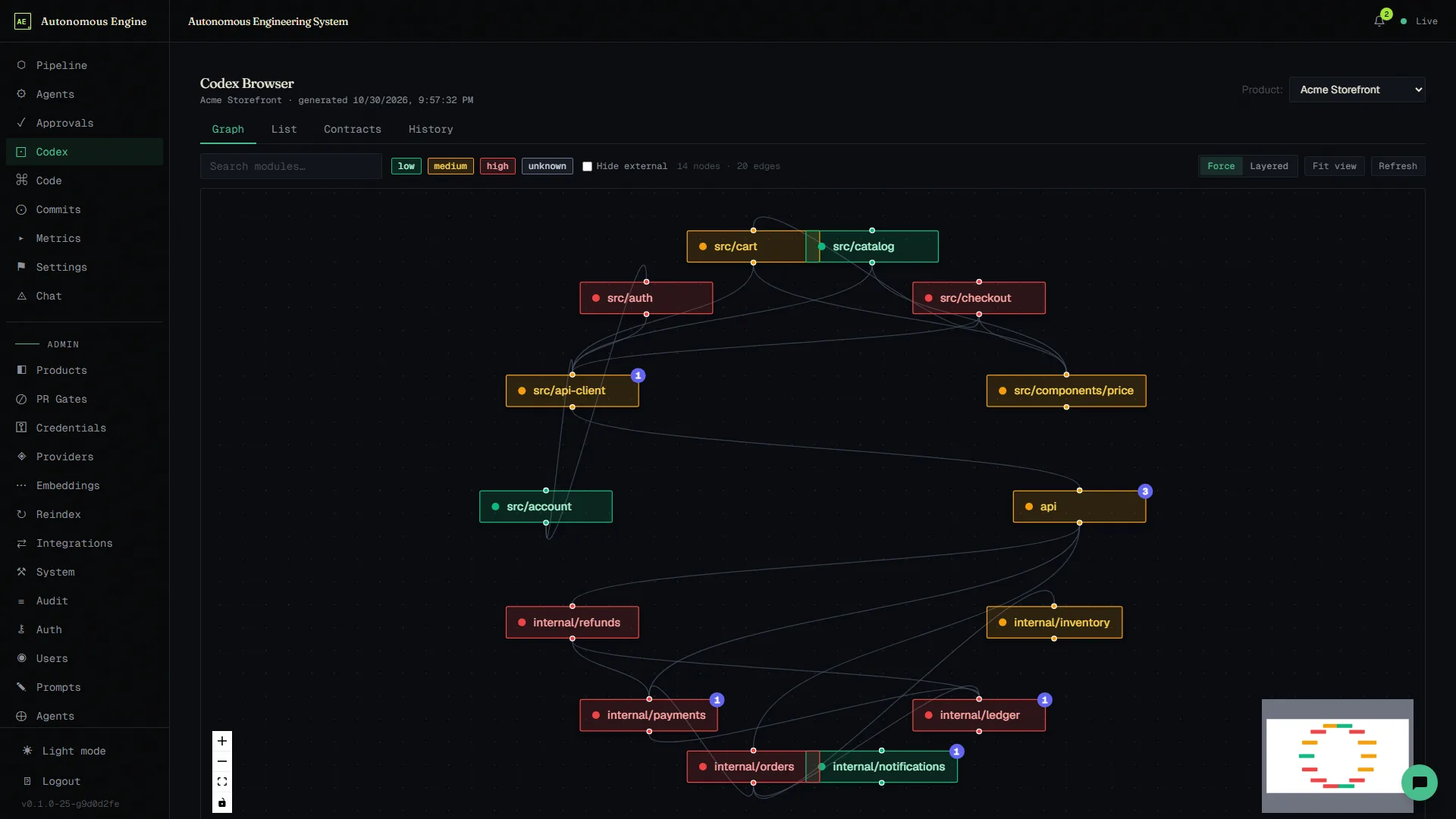
In the dashboard, the Codex page shows each product's module graph, the contract edges between its repositories, and the snapshot history.
§ Afterword
Without the codex, agents are clever autocomplete.
With it, they work from what your code actually says.